
How do I renew an SSL certificate in the DirectAdmin panel?

Renewing an SSL certificate in the DirectAdmin panel is quick and easy — it takes just a few clicks. Here's how to renew your SSL certificate in DirectAdmin:

Step 1: Log in to your DirectAdmin panel. Guide: How to log in to DirectAdmin

Step 2: Open the SSL Certificates section

Step 3: Select ACME settings:
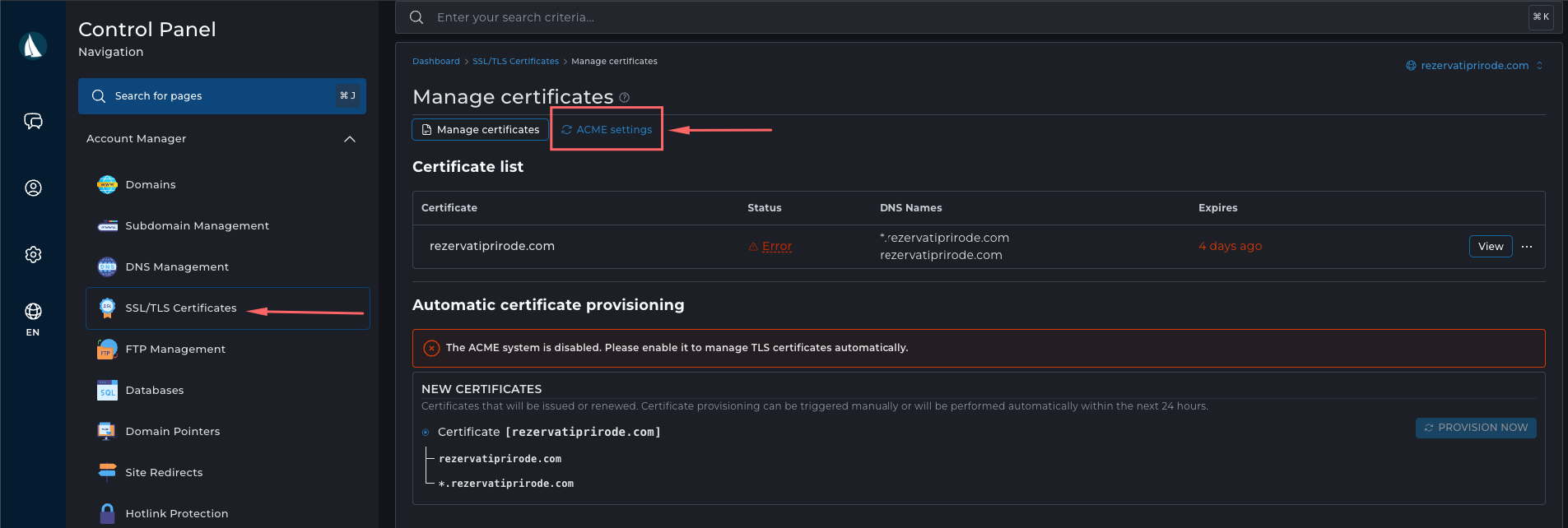
obnova ssla


Step 4: Click "Enable ACME", then click the Save button located at the bottom of the page.
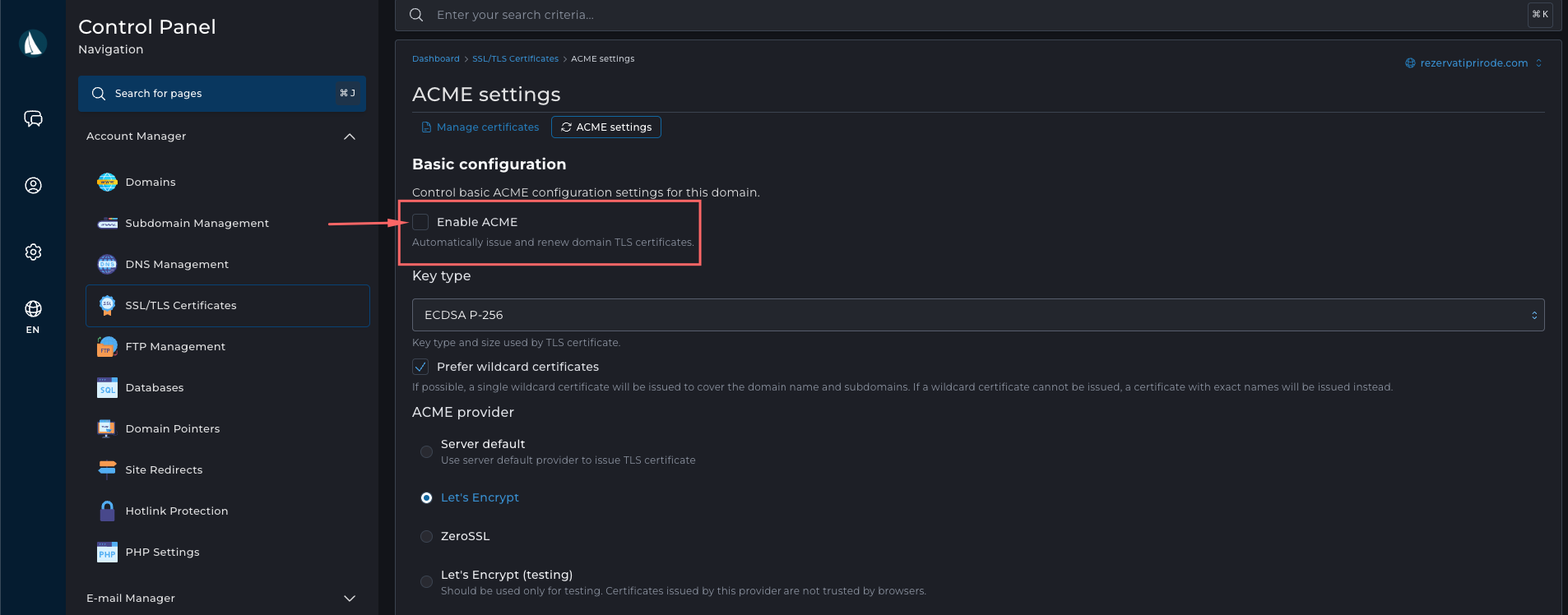
obnova ssla


Step 5: Go back and click on Provision Now
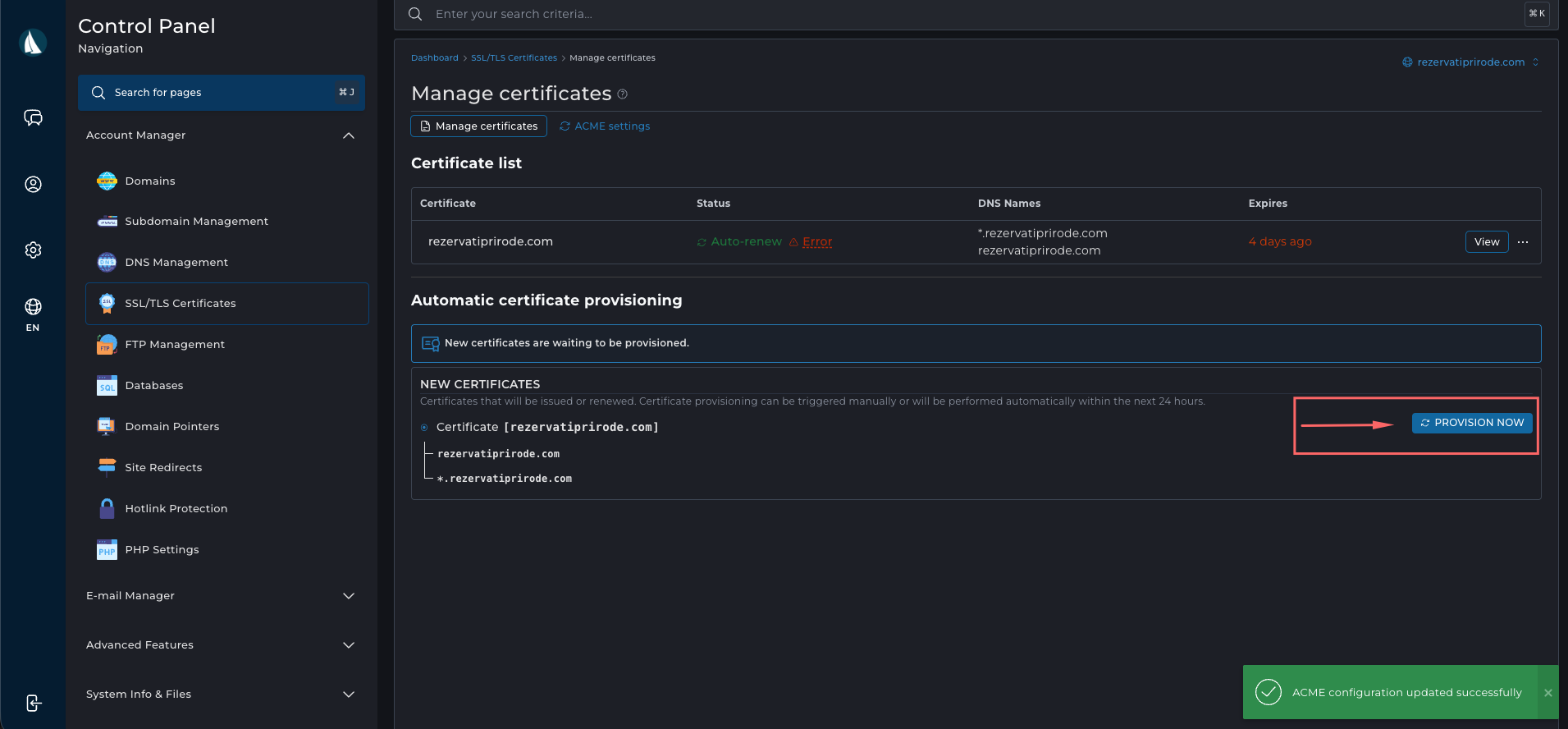


Re-issuing the SSL certificate will start in the background and the process will be completed in a few minutes.
  • 48 Users Found This Useful
Was this answer helpful?

Related Articles

How do I enable DKIM in the DirectAdmin panel?

DKIM enables verification of the authenticity of the email sender using a digital signature,...

How to turn on Redis on DirectAdmin hosting and see what Redis Socket is

Redis comes with each of our hosting packages and you can turn it on with one click, while the...

How to create an FTP account in the DirectAdmin panel and connect using FileZilla?

We have prepared a procedure for you to create an FTP account in DirectAdmin. You can easily...

How to Generate Backup of your DirectAdmin Account?

Here we have written instructions for creating a backup in the DirectAdmin panel. You can easily...

How can I increase the execution time in the DirectAdmin panel?

Changing "max_execution_time" in the DirectAdmin panel is simple and you can do it in just a few...