
Here's how to find headers in the Webmail application, in the RoundCube client:
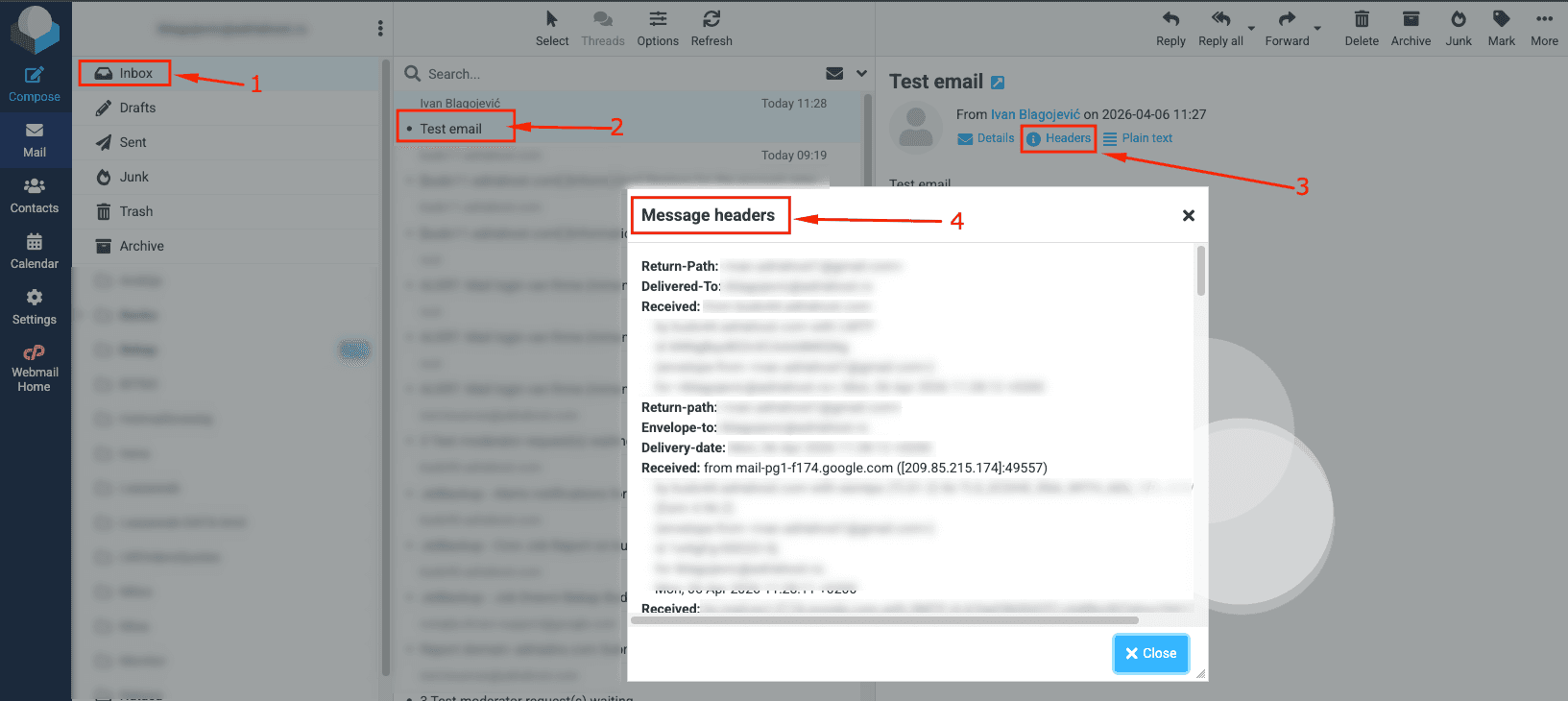
1. Log in to the Roundcube Webmail application and go to the Inbox folder
2. Click on the disputed email to open it
3. At the top of the email, look for the "Headers" option and click on that option
4. A window will open that contains a lot of information that is necessary for diagnosing and solving the problem
You can forward this data to our technical support or your technical person in case of problems or when you are asked to do so.